
Introduction
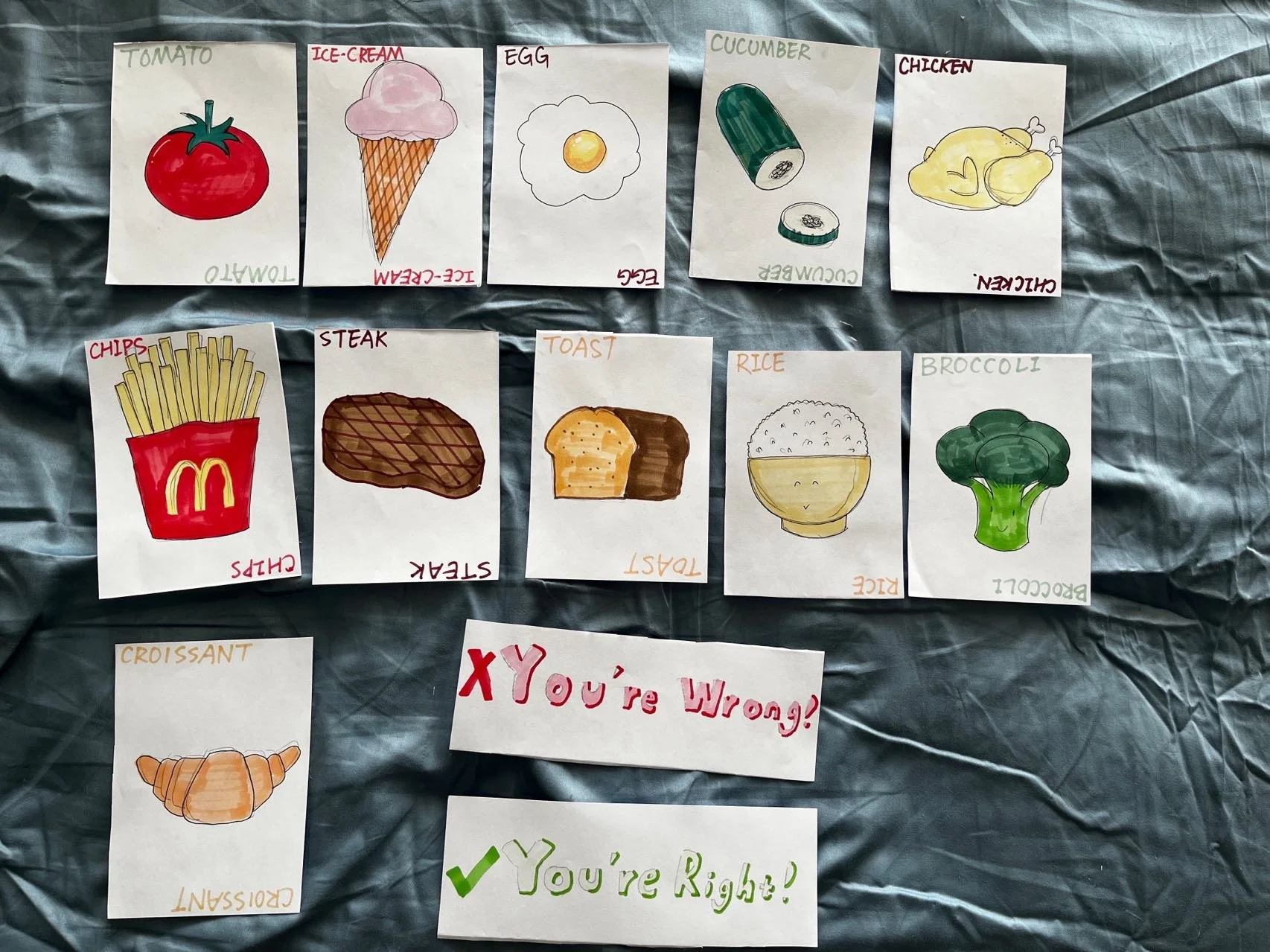
FoodieChoice is an AR nutrition learning application for primary school students to study basic nutrition knowledge of matching a healthy meal in a fun way. It comes up with 11 food cards in four categories: vegetables, carbohydrates, protein, and junk food. When students present the food card to the camera in the application, they can interact with the cards to learn basic food knowledge for eating healthier.

FoodieChoice Cards
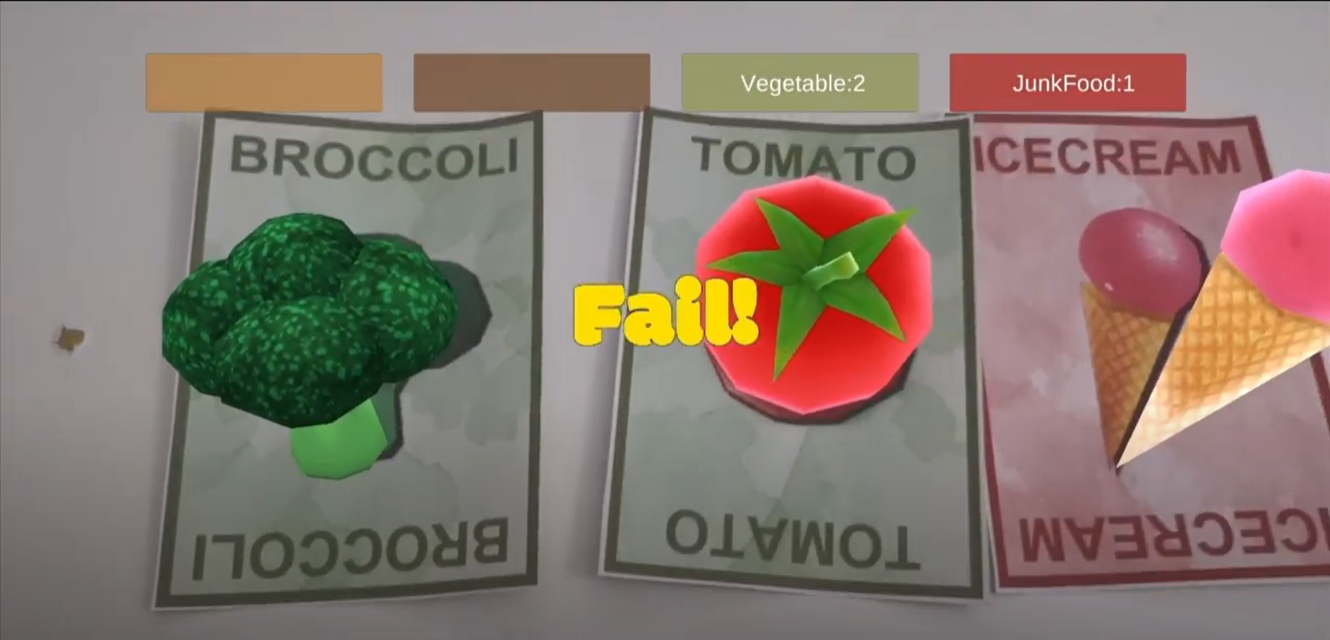
AR Interactions with the Apps
Usage Scenario
The operation of the software should be indoor classrooms with good condition of lighting. After teachers introduce the physical cards and the application, students can play with them individually or in small groups. Ideally, cards should be placed on the table for students to explore around the table with their devices and interactively educate themselves. As for interactions in the app, Students can touch the virtual models on the cards to hear and read details of it when presenting the food cards to the camera. They can also match three food together and test out if they know how to prepare healthy meals.
Design Principles
A colour palette is developed based on the mood board and is applied to the design of user interfaces, food cards, logos, and documents. Blended watercolor is used as a background and also for creating edges to be tracked by an AR camera. The art style is to create a vivid and harmonious sense of healthy food.
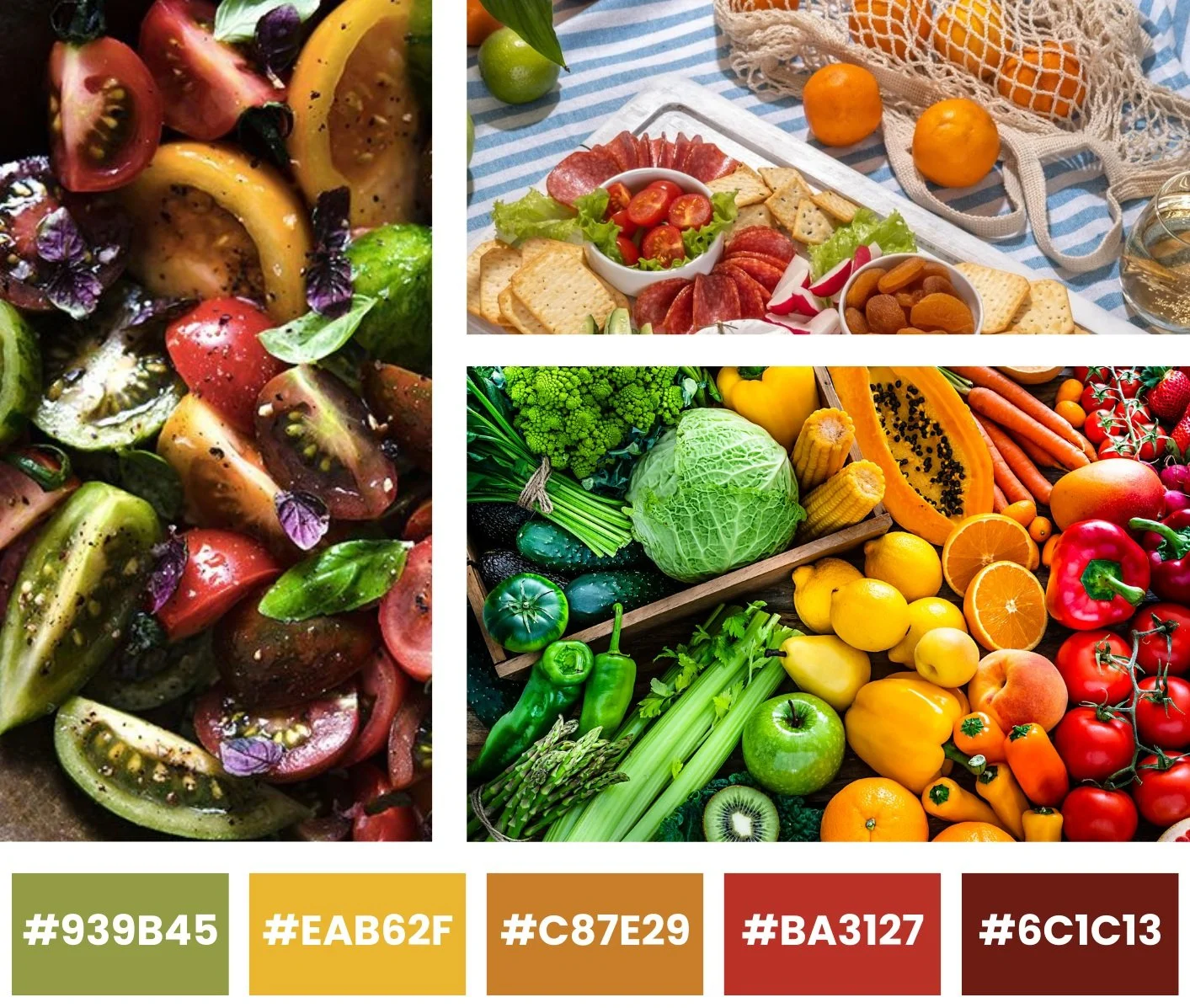
Moodboard
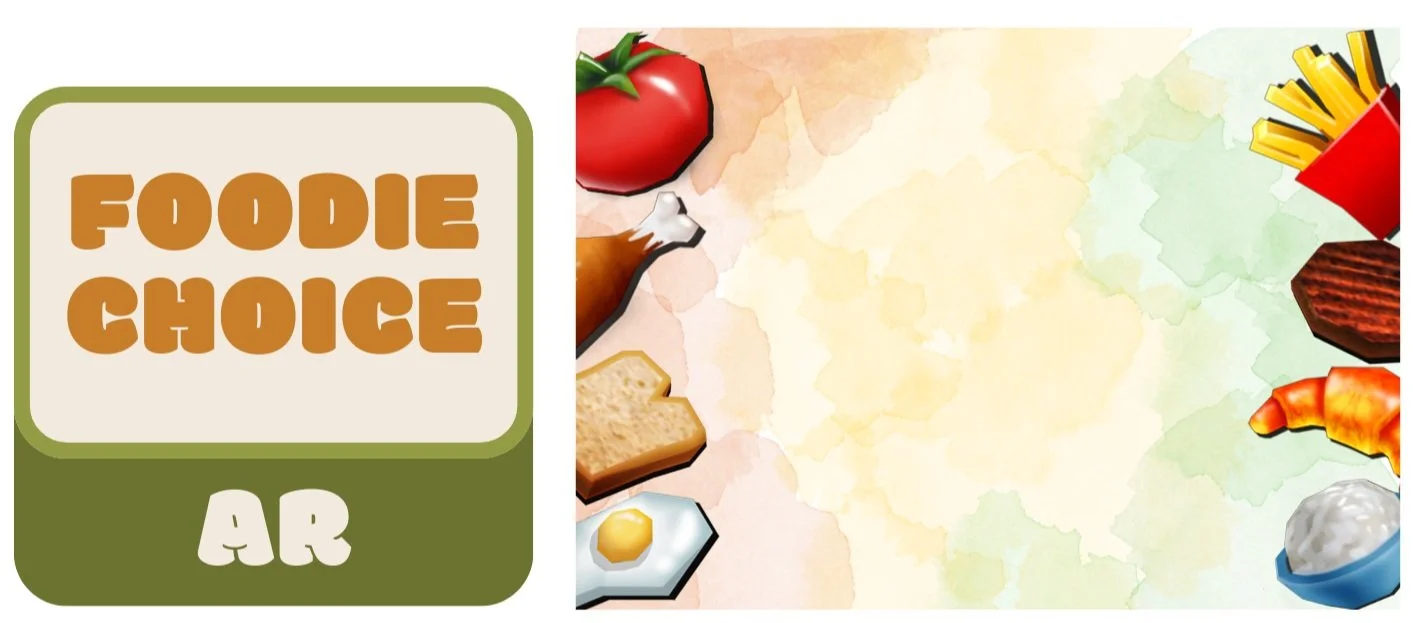
Landing Page
LOGO
Following Google AR Design Guidelines and Introduced considerations, The prototype avoided information overload by limiting the maximum of model showing and considering UI layout. The physical environments are considered indoor classroom tables. The markers are also part of the teaching experience and can be read in two ways like poker cards. It also uses audio cues to engage students and allows the user to reset the experience when they remove the cards and place them back.
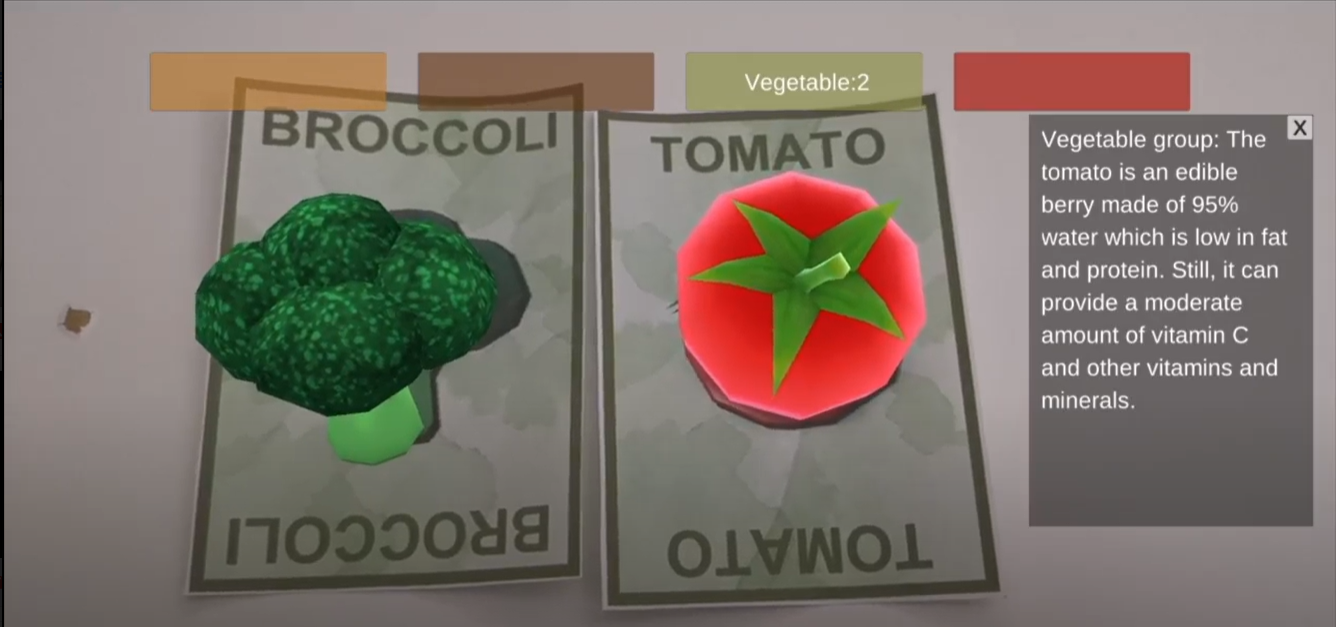
Avoiding Information Overload in UI
Motivation
In the Health and Wellbeing at Primary School sector of the NSW government website, it is suggested by Eating AT School in 2021 that eating at primary school is difficult compared to eating with assistance from parents and preschool teachers. If students can order food from the school canteens, parents and teachers are encouraged to help them identify healthy food choices. According to the Healthy Eating Advisory Service, kids should have a balanced daily intake of different proteins, grains, vegetables, and vitamins from a variety of foods. In addition, smart devices like Apple tablets are becoming common in class which can help in AR education. Local primary schools in Australia are eager to find innovative ways to engage every one of their students. Therefore, I am motivated to design an AR food learning application for primary school students.
AR Education
According to The Educator in 2022, Advanced Technologies like Augmented Reality (AR) are being used to help students learn with engagement. It can also help pre-service teachers to manage the behaviors of students. AR education applications are the alternatives to traditional textbooks that bring the outside world to the classroom, and it is a more personalized approach towards both online and in-person education.
There are some existing AR education services in the market like ZealAR, the company provides services to assist pupils who struggle with subjects to directly view and edit in augmented reality. It can help pupils to study subjects like geography or science. Therefore, AR is proven to be a good choice to educate students for more engagement and improvement.


AR in class
AR for Food and Health
There are also some existing AR food applications for different scenarios. For example, Carlton pointed out in 2019 that Suggestic Lens can help their customers make smart choices with their food especially when they are out at a restaurant. In Peppy Pals, kids get the AR animal characters to guide them through the store and help them find ingredients for a selected recipe. Therefore, it is feasible to use for AR to learn food and health-related knowledge for different purposes.
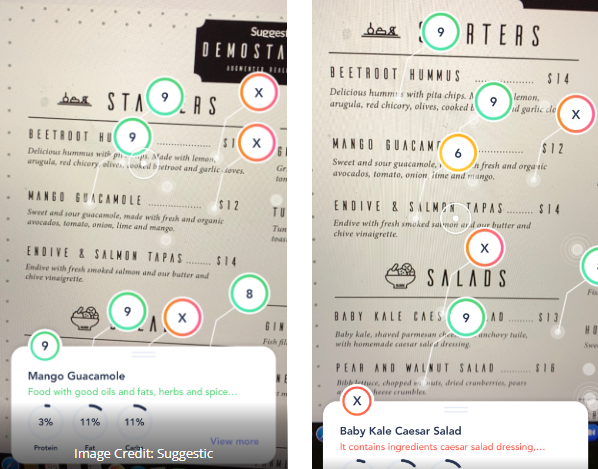
Suggestic Lens
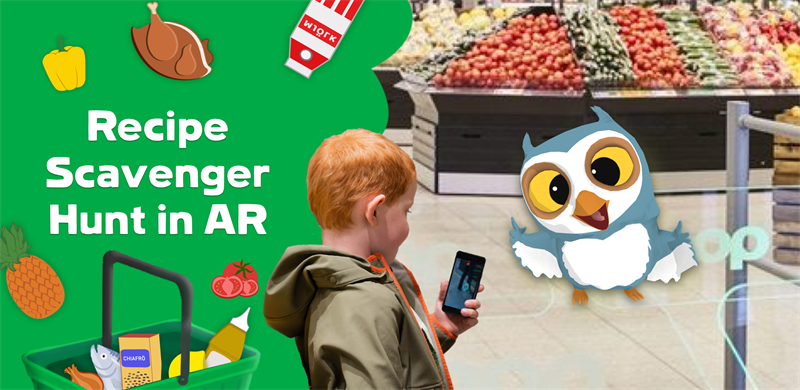
Peppy Pals
User Research
After the initial research of AR education and competitors in NSW. Interviews are conducted with primary school teachers, preservice teachers, and pupils living in NSW. Two personas are created from the key insights of the interview to present the focus group for the product.
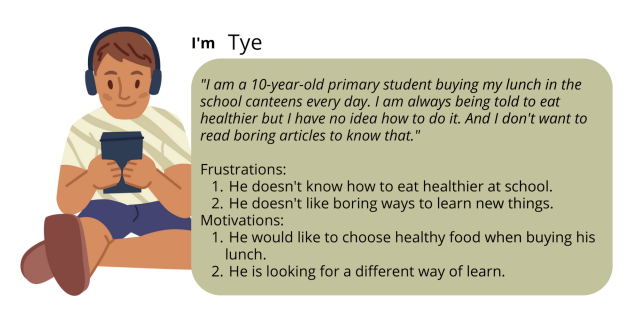
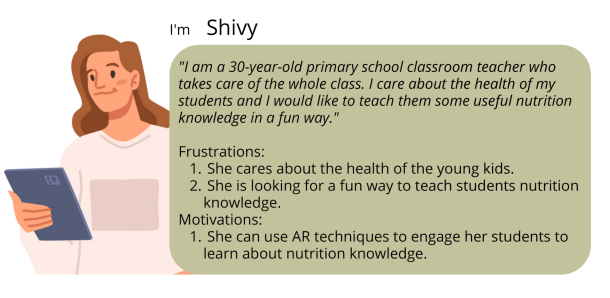
The storyboard is illustrated based on a scenario when Shivy is having a food class to Tye using FoodieChoice in order to have a engaging and joyful class.

User Testing Overview
Three rounds of testing have been conducted during the iterations of this AR prototype for a better education experience. At the beginning of each round of user testing, all the participants are encouraged to imagine their scenario as a student or a teacher using the AR application. After participants finished using the prototypes, they were invited to share their feedback via different testing methodologies.
Testing 1
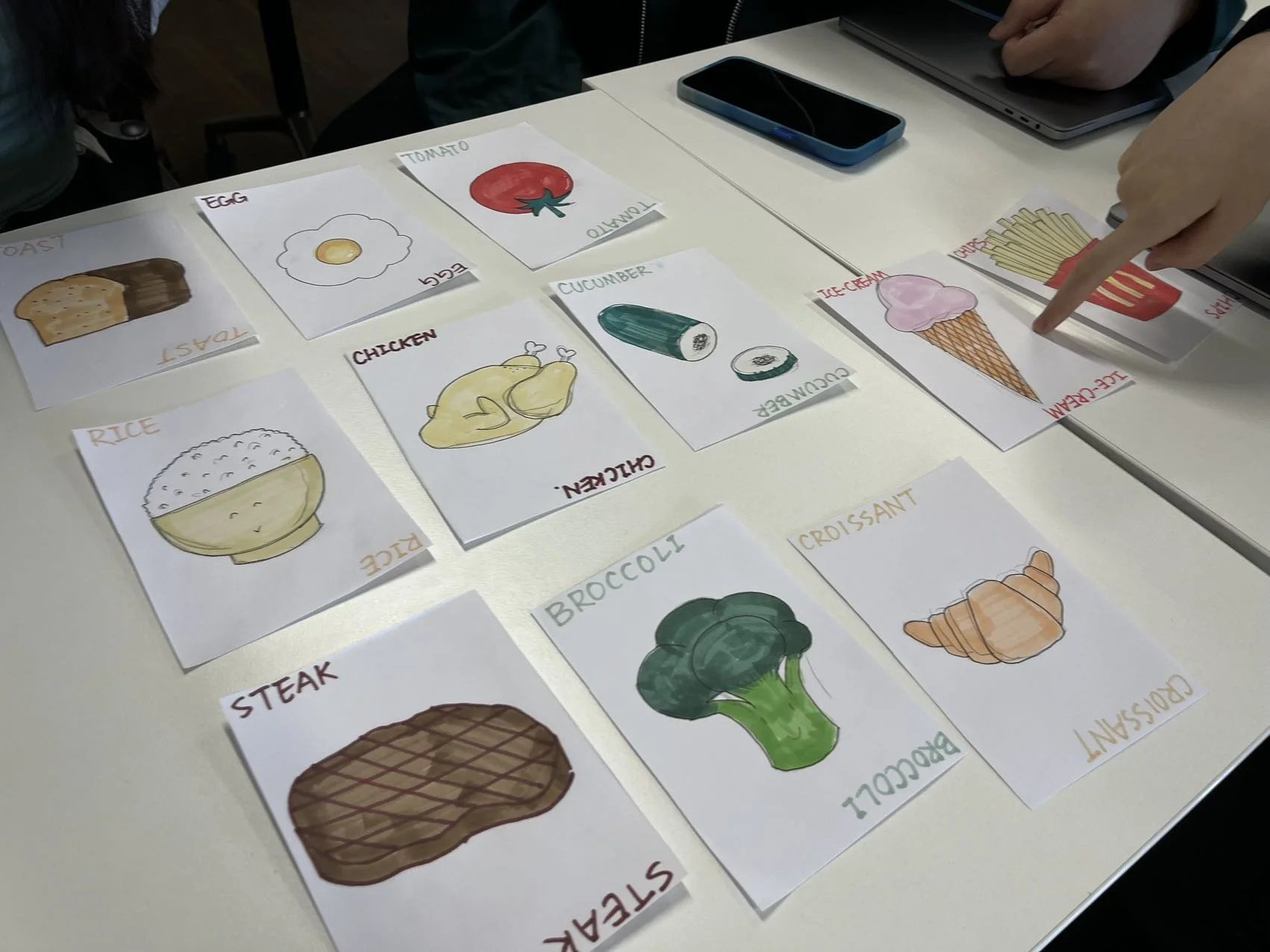
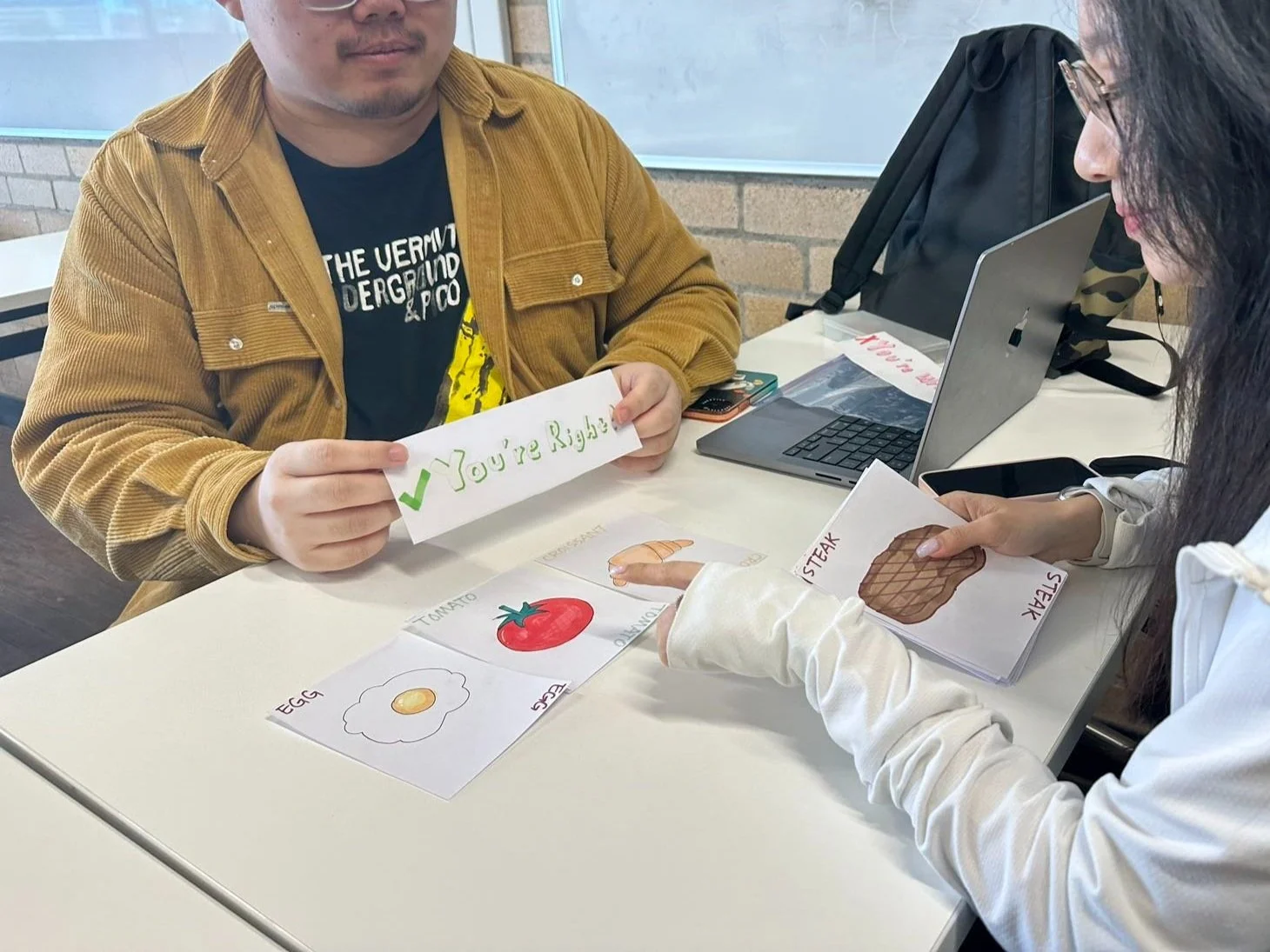
In the first round of user testing, a testing environment was provided with paper prototypes and the designer simulated the process of AR application. (Figure 9). Participants play with the food cards and point at them to get the descriptions from the designers. When participants tried to match three food together, the designer will give feedback on whether it is healthy or not. During the experience, users were asked to Think-Aloud during the process and answer some interview questions after the process. The interview questions are:
Do you think you are having an engaging learning/teaching experience using this prototype as a student/teacher?
What do you like most about the prototype?
What do you think needs improvement?
All users agreed that they were engaging and joyful when using this prototype and they can easily remember the knowledge of healthy food. All users pointed out that they were satisfied with matching the food to see if they were eating healthy. However, some users pointed out that if they are using the same set of cards together, the interactions may be influenced by other users when they are pointing at the cards. Some users indicated that the marker card may not have enough information for the AR system to recognize.
Testing 1 with Paper Prototype
Testing 2
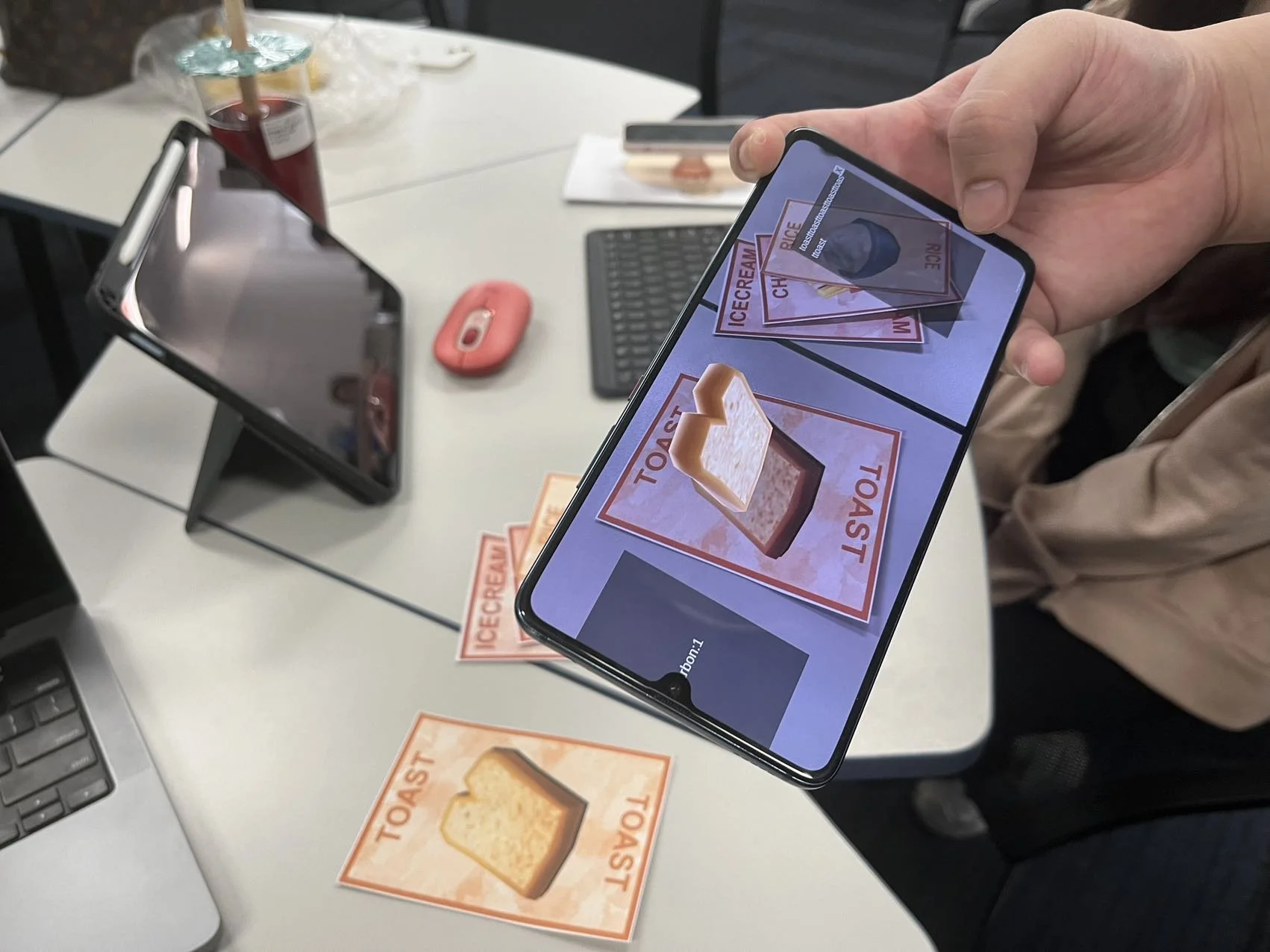
Users are provided with a digital prototype on Android Phone with a set of marker cards. From the previous iteration, the marker cards were designed with complex watercolor backgrounds for a better tracking experience, which is proved by Vuforia Rating. Besides, the interaction of the cards changed from clicking virtual buttons on the cards to clicking the 3D models on the mobile screens. During the experience, users were encouraged to think aloud and they were interviewed with the same questions as well.
All users agreed that this iteration is more concentrated than before. The sound of explanation helped me to learn it in an engaging way. The new interactions of clicking on the models are less disturbing than the last one when using it as a study group. One user said the interfaces may be hidden by the hand when considering the posture of holding two sides of the phone on the table. Some users felt that there should be some more animations if they successfully matched a healthy meal. Some users pointed out that the models are not in good angles because they are looking from the top of the table.

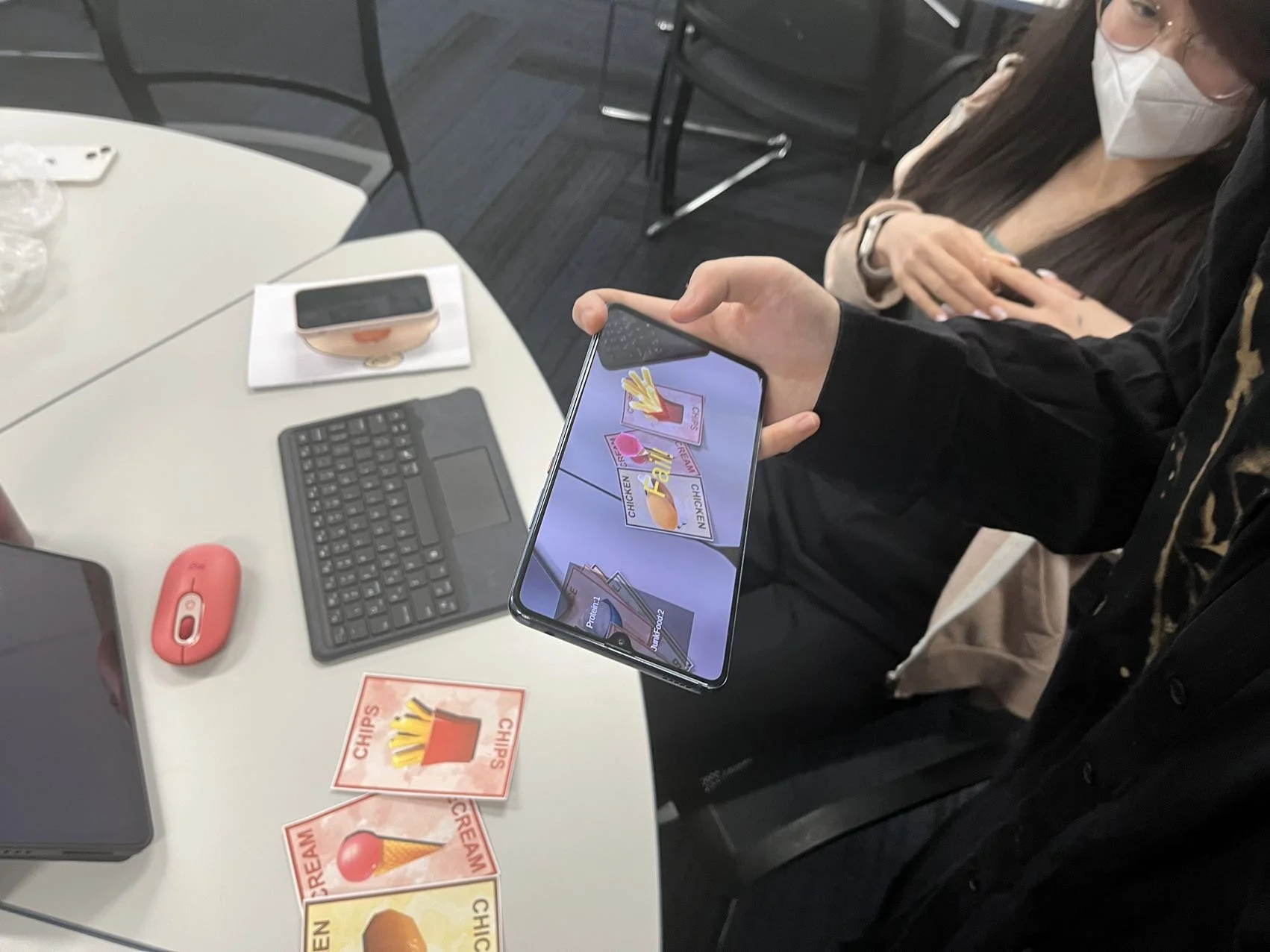
Testing 2
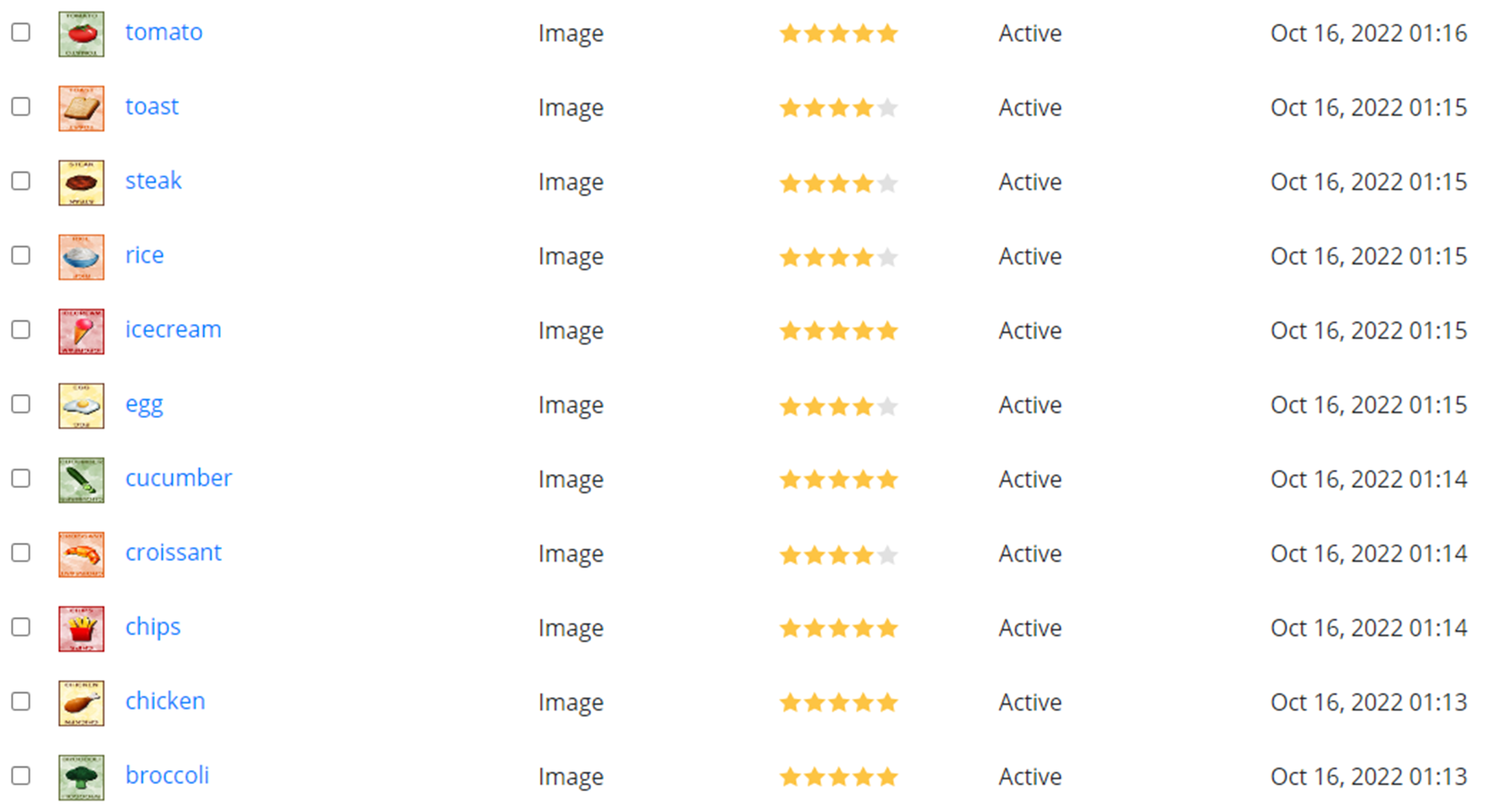
Vuforia Rating
Testing 3
The prototype is also downloaded as an Android file operating on an Android device with a camera. The interfaces, interactions and models were modified based on the previous feedback for a better user experience. (Figure 11) When a user successfully matches a healthy meal, the models will slowly spin as congratulations. This testing is aimed at future development. After the experience, a semi-structured interview was conducted with the following questions:
Do you experience any overlapping information during the usage of this product?
Do you think you are having an engaging health education with the usage of this product?
Do you think this iteration solves the problems from the last iteration?
What do you think can be the future development for this prototype?
All users agreed that this iteration solves the problems from the previous iterations. There is no overlapping information and no hidden information by the physical objects. All users are happy with the outcome and are engaged with the educational experience using this prototype. One person suggested that it would be better if there are some indications on the application telling how to improve the matching choices once the students failed to match a healthy choice.
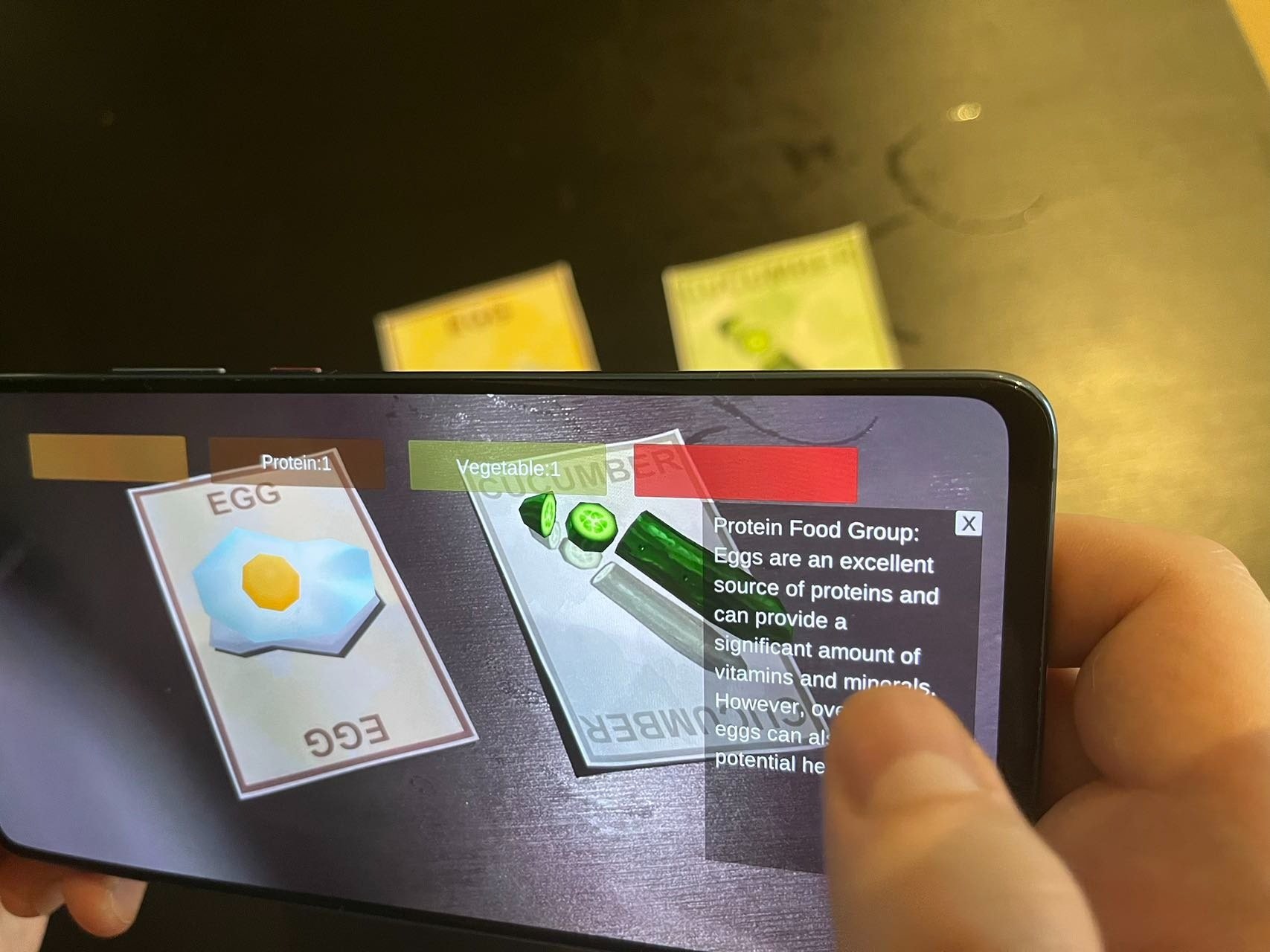
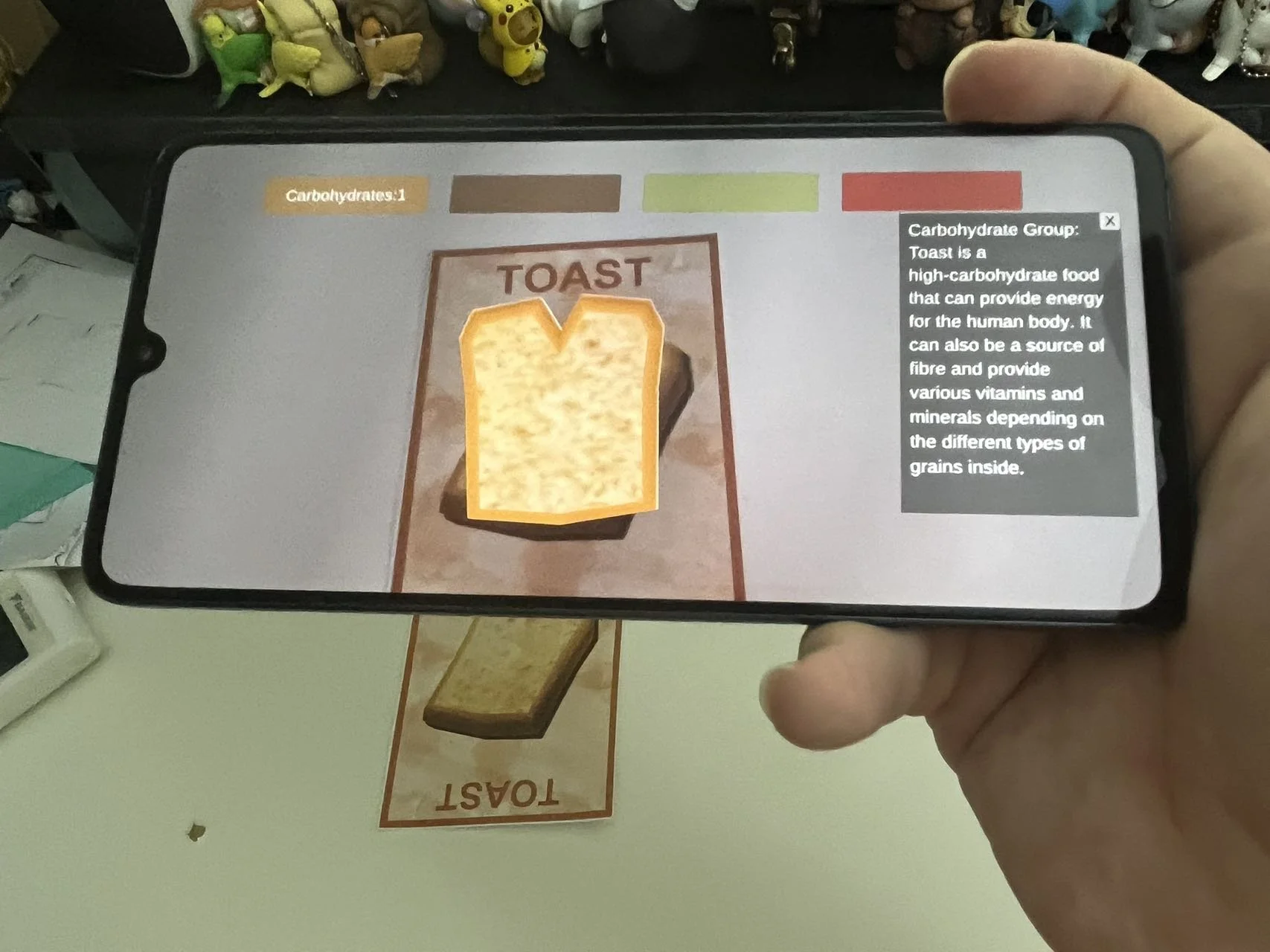
Testing 3
Summary
Firstly, background research on food, health and AR education is conducted to help find a problem. Secondly, personas are created from interviews for scoping down the user needs. The storyboard of two personas helps design the user scenario in the design phase. There are three rounds of user testing during the design phase to iterate the prototype based on user feedback. After that, the prototype fulfilled the user needs generally and it is following the AR design guidelines with no lag. When interacting with the food cards and AR application, teachers can engage the students to learn basic health knowledge at a young age. Pupils can also joyfully use this knowledge when making choices for their lunch at school. The design helps the study become interesting and explorative by bringing the food items into the class.
Guide for Setting the App Up
FoodieChoice is an AR application running on an Android device. It is interactive with physical markers: a set of 11 food cards.
If you are using FoodieChoice on an Android Device as a teacher or a student:
Download the DFoodieChoice.apk file to your Android Phone.
Android may ask you to allow installing apps from "Unknown Sources". You need to allow it to finish the installation.
Allow the application to use the camera to avoid any potential failure when operating.
Open it with the printed cards (size around A6) in good lighting conditions.
If you are using FoodieChoice on the computer for future development:
Create and new 3D project in Unity 2021.3.7f1.
Navigate to the Developer Portal below and download the Vuforia Unity Package: https://developer.vuforia.com/downloads/sdk
Import the downloaded Vuforia Unity Package file into your Unity scene.
Delete the main camera from the Hierarchy. Replace it with ARCamera
Add the license key in ARCamera, get the license from Vuforia, or Copy the license you have already got.
Right-click on the Asset window, and import FoodieChoice.unitypackage
Click "Play" and select simulator (Huawei or some other Android Phone).
For development, please adjust the UI based on the simulator you want to use.
Known Issues and Bugs
Although the UI design is already responsive in Unity. The application is initially designed in the Unity Simulators of Huawei smartphones. It may cause some minor overlapping if used on some of the small screens. For further development, please consider the layout when developing on a different platform.
If you put more than three markers on the screen, it may cause a data clash from the end of the Vuforia AR system (Presenting the correct virtual models but with different audio and text details). However, users can reset the interactions by removing all the cards from the screen and waiting for a short time. This action is followed by Google 2022 AR Design Guidelines.
If the camera function is not allowed when installing or opening the applications, the AR function will not be working. Please turn on the camera function in Settings of individual devices.
No bugs were detected during the testing in Unity and phones, The application can run smoothly on HUAWEI Mate 20 X with Android 10, a platform released in 2019. The Unity package file can run smoothly on Unity 2021.3.7f1 in Windows 10 and macOS Monterey.
Future Works
Following the double diamond design principle, I will go back to the research part for more detailed user research. A questionnaire will be designed to receive the quantitative user data. After that, I will redesign the interview questions based on the responses. By doing this, I may notice some other user frustrations and motivations to improve the design.
As for design parts, I will add more animations of the virtual models. I will also suggest how to improve the choices once the users fail in the food-matching process. Lastly, I will also think about an extra button to play the voice instead of directly playing the sound. These future developments need a lot more consideration on the layout and visual representations to avoid information overlap and reset.